Search for an entertainment POS and Google hands you two industries shuffled together: systems built to sell 40,000 beers in fifteen minutes at a stadium, and systems built to run a family’s whole Saturday at a trampoline park. Both are real “entertainment POS.” Almost nothing about them is interchangeable — and choosing from the wrong world costs more than choosing the wrong brand within the right one. This guide splits the two, shows what a venue-side POS actually has to do, and routes you to the right deep-dive for your specific venue type.
What Is an Entertainment POS System? (Quick Answer)
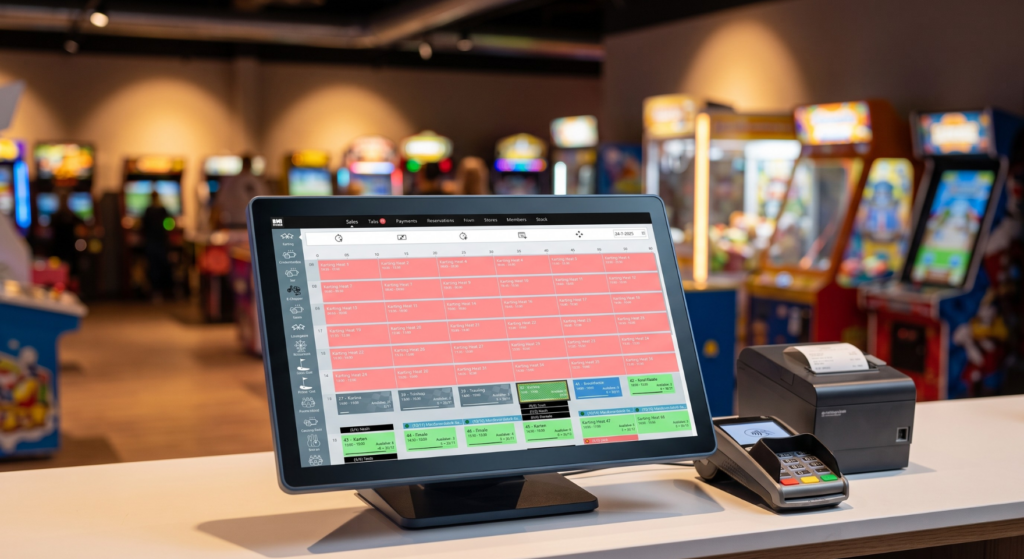
An entertainment POS system is point-of-sale software and hardware built for venues where people pay to play or watch: it sells admissions and timed sessions against live capacity, runs F&B, integrates arcade cards or wristbands, and keeps one tab per guest. The term covers two different industries — event/stadium POS for arenas and festivals, and venue POS for FECs, karting tracks and activity venues — and the right system depends entirely on which one you are.
The First Split: Event POS, or Venue POS?
Before comparing brands, place yourself in the right world — everything downstream follows from this table:
| Comparison | Event / stadium POS | Entertainment venue POS |
|---|---|---|
| Built for | Stadiums, arenas, festivals | FECs, karting tracks, trampoline parks, arcades, multi-activity venues |
| The core problem | Enormous short bursts: tens of thousands of fans buying concessions between innings | Depth per guest: one family, five revenue streams, one tab, all afternoon |
| Signature features | In-seat mobile ordering, suite service, high-volume concession lines | Timed sessions against capacity, party deposits, arcade card reloads, waivers at the till |
| Typical players | Oracle Simphony, Agilysys | Venue management platforms — see the deep-dives below |
The stadium side is genuinely impressive technology: Oracle positions Simphony as the trusted POS for stadiums, arenas and entertainment destinations worldwide, with in-seat mobile ordering and suite management; Agilysys’ InfoGenesis pairs high-volume POS with in-seat ordering and AI self-checkout. And here’s our honest limit, stated plainly: if you operate a stadium or arena, that’s the class of system you need — we’re not it. BMI Leisure lives entirely on the venue side of this table. If you’re on the stadium side, you already have your shortlist; the rest of this guide is for venue operators.
What an Entertainment Venue POS Must Do
At the umbrella level, four demands separate venue POS from both retail POS and stadium POS — each one is covered in depth in our per-vertical guides:
- Sell time against live capacity. Sessions, heats and lanes are perishable inventory — the till, the website and the kiosks must sell from one availability pool.
- One tab per guest, across everything. Admission, pizza, game credits, party balance — one payment, one guest record. We call it the one-tab test, and it’s the single fastest way to evaluate any vendor demo.
- Carry the venue’s conditions. Waivers checked at the till, memberships that price differently, arcade cards sold and reloaded at the register.
- Feed one reporting layer. Revenue per session, per party, per profit center — comparable numbers, not three systems’ three opinions.
Choose by Your Venue Type
This is a router, not a ranking — each row links to the guide that goes deep on that vertical’s POS decision:
| Your venue | Start here |
|---|---|
| Family entertainment center | Our FEC POS buyer’s guide — the three system species and the 7 capabilities |
| Karting track | Karting management software and the choosing guide — POS integrated with timing and heats |
| Trampoline park | Trampoline park software — sessions, waivers and POS in one platform |
| Arcade-heavy venue | Our cashless card systems comparison — the game-floor wallet decides your POS integration |
| Multi-activity / leisure venue | The leisure management software guide — the whole-platform decision the POS lives inside |
| Self-service heavy | Our kiosk guide — the POS’s front-line extension |
The Hardware Question
Venue point-of-sale hardware follows your revenue streams, not a standard kit list. Every venue needs touchscreen stations and payment terminals; after that it diverges fast: ticket and receipt printers at the desk, card readers or dispensers wherever arcade media is sold, kiosk hardware if self-service carries your peak load, kitchen screens if F&B is real, and rugged mobile devices if staff sell on the floor. Two practical rules from venues we’ve equipped: count stations by where guests actually queue (not by where furniture fits), and treat hardware as a per-line item in every quote — vendors bundle it differently, and unbundling is the only way quotes become comparable.
Where Entertainment POS Purchases Go Wrong
- Buying from the wrong world. The most expensive version: a venue seduced by stadium-class technology it will never fill, or an arena trying to stretch venue software past its design. The first table in this guide exists to prevent exactly this.
- Buying features instead of the tab. Feature checklists all look alike; the one-tab test doesn’t. A vendor can tick “F&B ✓ arcade ✓ parties ✓” and still run them as three disconnected modules with three reports.
- Ignoring the seams until month two. The gaps between POS, card system, kiosks and kitchen are invisible at the demo and permanent after go-live. Integrations belong in the contract, named, with reference venues.
The 5-Step Choosing Framework
- Pick your world. Event/stadium or venue — the table above. Two minutes, saves months.
- Pick your venue type and read its deep-dive. POS requirements differ more between a karting track and an arcade than most vendors admit.
- Run the one-tab test in every demo. Admission + food + card reload + party balance: one payment, one record, no workarounds narrated by the salesperson.
- Get the integrations in the contract. Card systems, kitchen screens, kiosks, payment processors — named, in writing, with a reference venue running each.
- Compare year-one totals on identical scope. Software, hardware, processing, setup, training, support. A cheap license with expensive seams loses by December.
Where does BMI Leisure fit? We’re a venue-side platform: POS, bookings, waivers, parties, timing and F&B in one system, running 300+ activity venues in 70 countries — with the vertical depth living in the guides linked above. Judge us the same way we’ve told you to judge everyone: by the one-tab test, in a demo, on your hardest Saturday scenario.
Venue-Side POS, Proven on 300+ Venues
Admissions, parties, F&B, arcade cards and reporting on one tab — inside one platform built for activity venues. Bring your hardest Saturday scenario and run the one-tab test on us first.
Book Your DemoFrequently Asked Questions
What is an entertainment POS system?
Point-of-sale software and hardware built for venues where people pay to play or watch: it sells admissions and timed sessions against live capacity, runs food and beverage, integrates arcade cards or wristbands, and keeps one tab per guest. The term covers two different industries — event/stadium POS for arenas and festivals, and venue POS for FECs, karting tracks and activity venues — and the right system depends on which one you are.
What is the difference between stadium POS and venue POS?
Stadium and event POS (the Oracle Simphony and Agilysys class) is built for enormous short bursts: tens of thousands of fans buying concessions in minutes, in-seat mobile ordering, suite service. Venue POS is built for depth per guest across a whole visit: timed sessions, party deposits, arcade card reloads, F&B and retail on one tab, tied to bookings and waivers. A system excellent at one is usually wrong for the other.
Do I need special POS hardware for an entertainment venue?
Usually a mix: touchscreen stations at the front desk, payment terminals, receipt and ticket printers, and — depending on your venue — card readers or dispensers for arcade media, kiosk hardware for self-service, and kitchen screens for F&B. The hardware list follows from your revenue streams, which is why quoting POS without mapping your venue first produces useless comparisons.
How much does an entertainment POS system cost?
Almost all vendors in both worlds quote per venue: software subscription plus payment processing plus hardware (stations, terminals, printers, card readers). Stadium-class systems are enterprise deployments priced accordingly. For venue POS, compare total first-year cost across vendors on the same scope — software, hardware, setup, training and support — rather than headline license prices.
Sources
- Oracle — Sports and Entertainment POS Solutions (Simphony positioning for stadiums, arenas and entertainment destinations; in-seat mobile order and pay; suites; 200+ integrations). oracle.com — verified August 13, 2026.
- Agilysys — Sports & Entertainment (InfoGenesis POS for high-volume environments, IG OnDemand in-seat ordering, PanOptic self-checkout). agilysys.com — verified August 13, 2026.
- BMI Leisure — Point of Sales (POS) feature page (all-in-one POS hub for entertainment venues). bmileisure.com — verified August 2026.
Vendor information reflects each company’s own published pages as of the verification dates above and may change — verify capabilities and request scoped quotes during your evaluation. BMI Leisure is the publisher of this guide and competes on the venue side of the market only, which we’ve disclosed — stadium and arena operators are pointed to the event-POS class of systems that genuinely serves them. Last updated: August 13, 2026.