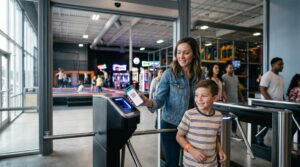
A retail register sells things that leave the store. A restaurant POS sells things that leave the kitchen. Trampoline park POS software sells something stranger: sixty minutes on a court, wrapped in a safety waiver, wearing mandatory socks, visible from across the floor by wristband color, and frequently attached to a pizza and ten screaming eight-year-olds. This guide dissects that product — the humble jump pass — to show exactly what a trampoline park’s point of sale must orchestrate, where generic systems break, and how to shortlist without marketing gloss. (Transparency first: we’re BMI Leisure, one of the vendors in this category — flagged now, fully disclosed further down.)
What Is Trampoline Park POS Software?
Trampoline park POS software is the point of sale built around a product retail systems don’t understand: the timed jump session. One sale simultaneously books a time slot against court capacity, enforces a signed waiver, attaches required grip socks, issues the wristband that makes the session visible on the floor, and rings up food and party add-ons — all on one guest record. A generic register can take the money; it can’t orchestrate the session.
The Anatomy of a Jump Pass
Forget feature lists for a moment. Take the most ordinary transaction in your park — one adult buys one 60-minute jump session for one kid, Saturday 2 PM — and dissect what the till just committed to. Six organs, one product:
The clock
The pass isn’t a thing, it’s a window: it starts at 2:00 and dies at 3:00 whether the guest uses it or not. The POS must sell against specific time slots, know when each session expires, and make that expiry enforceable — because “your hour is up” only works when the system, not a stopwatch and an argument, says so.
The headcount
That 2 PM slot has a ceiling — jumpers per court, set by your insurance and your safety policy. Every sale must decrement live capacity across every channel at once: the website at midnight, the kiosk at 1:50, the front desk at 1:58. Our own trampoline platform frames it as controlling “every session by preventing overbooking, tracking who’s on-site” — because an oversold court isn’t a revenue win, it’s a liability event. The capacity layer is where POS stops being retail software.
The waiver
No signature, no jump — which means the waiver isn’t paperwork near the sale, it’s a condition of the sale. The POS must know, at the moment of payment, whether this kid’s guardian signed — ideally at home, days ago, linked to the booking. The mechanics live in our waiver software guide; the test lives at your counter: can your till refuse a check-in?
The sock
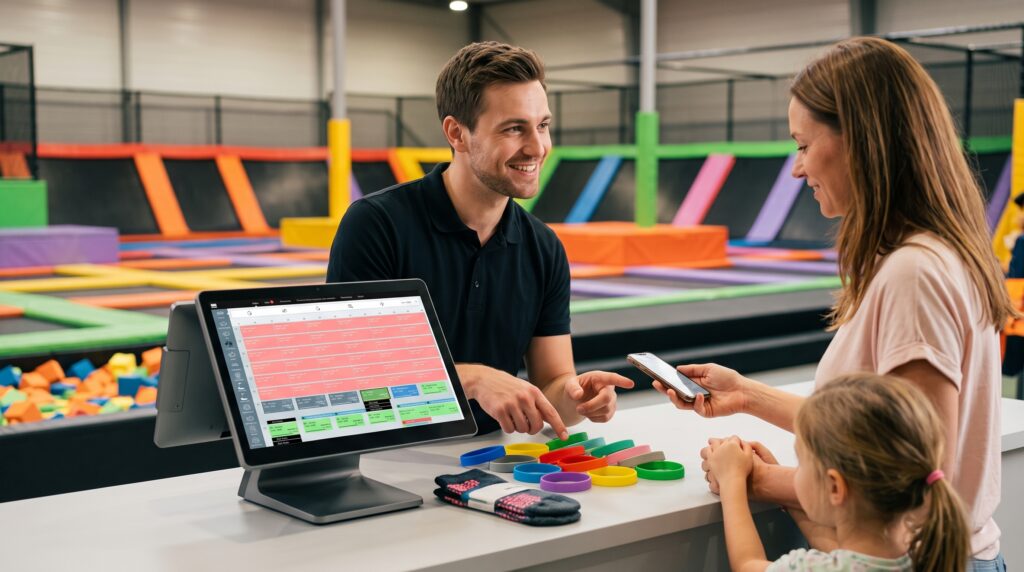
The funniest line item in venue software, and secretly a structural one: grip socks are mandatory retail — a safety requirement that’s also an attach on nearly every first visit. The POS should prompt it, bundle it, and count its inventory like the revenue line it is. (Our trampoline page lists it exactly that way: wristbands for session timing, plus “upgrades or extras like socks.”)
The wristband
The session has to be visible: floor staff across a loud park need to see whose hour is which. Color-coded or RFID wristbands are the session made wearable — issued at the till or the kiosk, matched to the time slot, and doing quiet enforcement all over the floor.
The rest of the visit
The same guest buys nachos at minute 40 and books a birthday party on the way out. F&B needs kitchen routing (our platform sends orders “directly from the POS to the kitchen”), and the party chain needs to land in the same system the till runs — one guest record, end to end.
That’s the buying criterion in one sentence: can one transaction carry all six organs without staff switching screens? Every demo question worth asking is a version of it.
Can a Regular Retail POS Do This?
The snack bar? Absolutely — scanning nachos is what retail POS was born for. The jump floor? No — and it’s worth being precise about why, because the gap is architectural, not a missing feature. Retail systems have no concept of inventory that expires by the minute (time slots), inventory that’s a headcount ceiling (court capacity), a sale that’s legally conditional (the waiver), or a product the floor team must see (the wristband).
That’s why a POS for trampoline park operations is its own category. Parks that start on a retail till end up running the real operation in a booking tool bolted on one side and a spreadsheet on the other — three systems, three guest records, and staff as the integration layer. The pattern is the same one we documented across venue types in our entertainment POS overview: general-purpose tools reach their limit exactly where venue complexity starts.
What’s the Best POS for a Trampoline Park?
The question operators actually type — and this guide deliberately won’t answer it with a ranking, because the brand-by-brand comparison already lives in our Best Trampoline Park Software guide, where BMI Leisure, ROLLER, Parafait and others are profiled honestly, including us. (For an outside view, independent roundups reach similar shortlists — Bokun’s comparison lists BMI Leisure among its top five trampoline platforms alongside ROLLER, VenueSumo and Parafait, with the fair warning that Bokun ranks itself first.) What belongs here is the method: run the jump pass test from the anatomy above in every demo — one transaction, six organs, zero screen-switching. Then add the three follow-ups that separate platforms fastest: watch a fully-booked Saturday slot refuse an oversell live; watch the till block a check-in with a missing waiver; and ask for group reporting if you run (or plan) more than one park.
What It Costs — and What It Returns
Honest pricing note: venue platforms in this market quote by park size rather than publishing price lists, so budget by layers — software subscription, hardware (tills, kiosks, wristband printing or RFID), payment processing, and implementation — and compare vendors at three-year total cost. The return side has a first-party number attached: Spanish trampoline park group Salting grew online bookings 70% after consolidating five centers on one platform — same processes, same reporting, in every location, per the published case study. Online bookings are the cheapest transactions your park processes: prepaid, waiver-signed at home, and staffed by nobody.
Where BMI Leisure Fits — in Operators’ Words
Disclosure: BMI Leisure is our platform, so rather than grading ourselves, here’s the shape of the fit and who says so. The jump-pass anatomy above isn’t a neutral framework we stumbled into — it’s how our trampoline park software is built: booking, waivers and payment online before arrival, wristbands for session timing with socks as tracked extras, capacity control per session, kitchen routing from the POS, and one guest record under all of it.
The operators quoted on that page — Fast Trax on consolidating systems, TeamSport on pre-registration, Xtreme Action Park on development support and feature completeness — describe the same thing from three angles: the value isn’t any single organ, it’s that they’re one body. Weigh our interest accordingly, and demo us against anyone in the comparison — the jump pass test doesn’t care whose logo is on the till.
One Transaction. Six Organs. Zero Screen-Switching.
Sessions, capacity, waivers, socks, wristbands and parties on one platform — the system Salting runs across five parks after growing online bookings 70%. Bring your busiest Saturday to a demo.
See BMI for Trampoline ParksFrequently Asked Questions
What is trampoline park POS software?
Trampoline park POS software is the point of sale built around a product retail systems don’t understand: the timed jump session. One sale simultaneously books a time slot against court capacity, enforces a signed waiver, attaches required grip socks, issues the wristband that makes the session visible on the floor, and rings up food and party add-ons — all on one guest record. A generic register can take the money; it can’t orchestrate the session.
What’s the best POS for a trampoline park?
Judge candidates by the jump pass test: can one transaction handle the time slot, the capacity count, the waiver check, the sock, the wristband and the party booking without staff switching systems? Platforms built for trampoline parks pass it; retail POS doesn’t. For the brand-by-brand ranking — BMI Leisure, ROLLER, Parafait and others — see our Best Trampoline Park Software comparison, which profiles the platforms honestly, including ours.
Can I run a trampoline park on a regular retail POS?
The snack bar, yes — retail POS is built for scanning products and taking payment. The jump floor, no: retail systems have no concept of time slots that expire, capacity per court, waivers that must block a sale, or sessions a floor team needs to see on a wristband. Parks that try it end up running the real operation in spreadsheets and a booking tool bolted on the side — three systems where one should be.
How much does trampoline park POS software cost?
Venue platforms in this market quote by park size rather than publishing price lists, so budget by layers: the software subscription, the hardware (tills, kiosks, wristband printers or RFID), payment processing, and implementation. Compare quotes at three-year total cost, and weigh the offsets — front-desk labor that kiosks absorb, and the online-booking growth a connected system unlocks; Spanish trampoline group Salting grew online bookings 70% after consolidating five centers on one platform.
Do I need separate software for waivers and bookings?
You need the functions — not necessarily separate systems. In a connected platform, the booking made online arrives with the waiver already signed, and the POS refuses to check in a jumper whose waiver is missing; nobody re-enters anything. Standalone waiver and booking tools work, but the integration between them and the till is where parks bleed staff time. Ask any vendor to demo the full chain: book online, sign at home, check in, jump.
Sources
- BMI Leisure — Trampoline Park Management Software industry page (online booking with waivers and payment; wristbands for session timing with sock upgrades; overbooking prevention and on-site tracking; POS-to-kitchen print routing; operator testimonials from Fast Trax, TeamSport and Xtreme Action Park). bmileisure.com/industries/trampoline-parks — verified September 2, 2026.
- BMI Leisure — Salting case study (Spanish trampoline park group; five centers consolidated on one platform; online bookings grew 70%; standardized processes and reporting across locations). bmileisure.com — first-party published case study.
- BMI Leisure — Point of Sales (POS) feature page (intuitive interface, customizable product pages, simplified high-speed mode, sales and revenue reporting). bmileisure.com/features — verified August 24, 2026.
- BMI Leisure — Best Trampoline Park Software 2026 (the brand-by-brand platform comparison this guide deliberately defers to). bmileisure.com — published July 27, 2026.
- Bókun — 5 Best Trampoline Park Management Software (November 22, 2024; independent roundup listing Bókun, VenueSumo, ROLLER, BMI Leisure and Parafait — BMI described with “over 20 years of experience”; note Bókun ranks its own product first). bokun.io — verified September 2, 2026.
Capability descriptions reflect the pages cited above as of their verification dates and may change; pricing in this market is quoted by venue size across vendors, which is why this guide gives cost structure rather than dollar figures. BMI Leisure is the publisher of this guide, the platform disclosed in its final section, and one of the vendors profiled in the linked comparison — the Salting result is our customer’s published case study, and your outcomes depend on your park; evaluate any platform, ours included, with the jump pass test in a live demo. Last updated: September 2, 2026.